
Tower Craft: Build Skyscraper
CASUAL AZUR GAMESStrategy
4.45.16K Reviews
- Version
- 1.10.23
- Installs
- 50.00M
- Age Rating
- Everyone
Screenshots
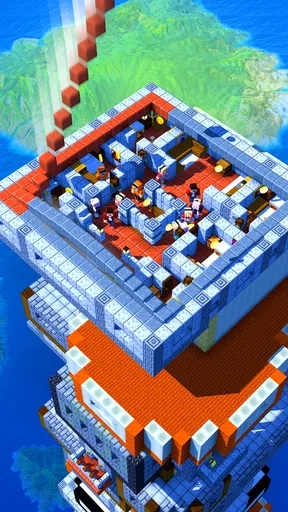
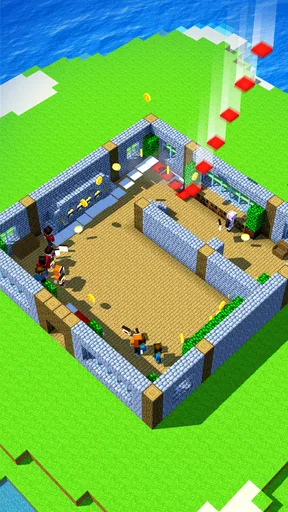
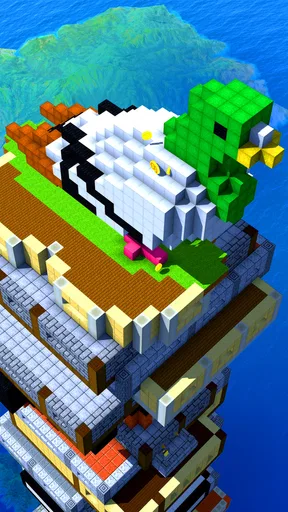
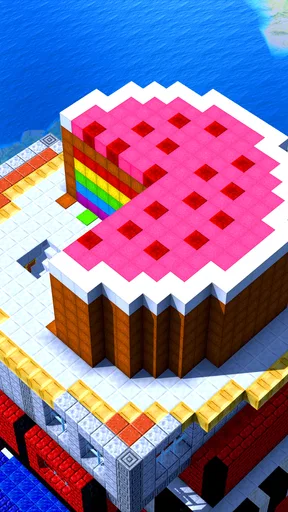
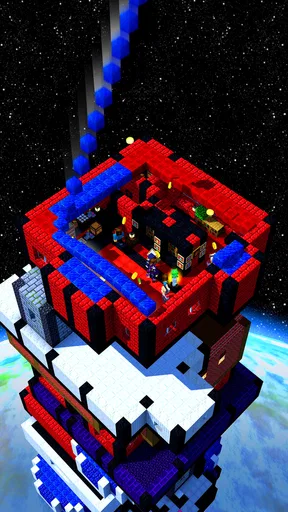
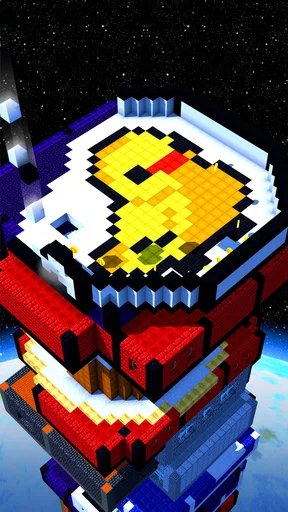
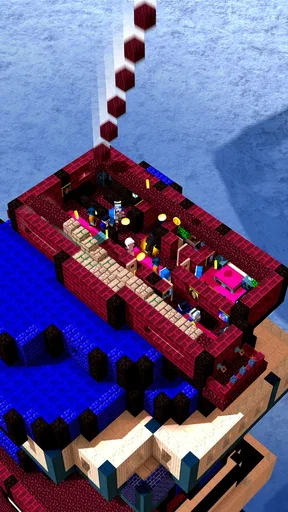
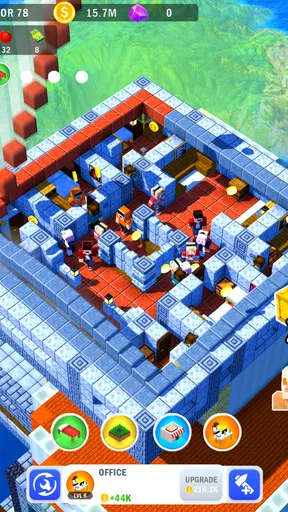
Our Review of Tower Craft: Build Skyscraper
 Analysis by Appyee
I approached Tower Craft: Build Skyscraper as a quick strategy game rather than a traditional city-building simulator. Its central idea is easy to understand: begin with a small tower, place blocks carefully, and keep building upward. That simplicity is exactly what makes it approachable, but it also sets expectations. This is a game for short, focused sessions and gradual improvement, not a deep management experience filled with complex economies, research trees, or long-term urban planning.
After spending time with it, I found the main question is not whether the concept works. It does. The more useful question is whether you want a calm, compact stacking challenge or a strategy game with broader systems. If you enjoy watching a structure grow one careful placement at a time, this is an appealing free option. If you need extensive decision-making, competitive depth, or a detailed city to manage, the limited scope may become noticeable fairly quickly.
What to consider before downloading
The first decision is about the kind of strategy you enjoy. Here, your attention is directed toward construction accuracy and maintaining a steady rhythm. The game turns a basic building action into the main source of tension: each successful placement helps the tower rise, while a careless move can make the next section harder to align. I like that the objective is immediately readable, even for someone who rarely plays strategy games.
The second decision is session length. This is well suited to the moments when I have only a few minutes, such as waiting for an appointment or taking a short break from work. I can start without studying a tutorial-heavy system, make progress, and put the phone away. That convenience is a real strength, although players looking for a campaign with a strong narrative or a large sequence of interconnected missions should look elsewhere.
It is also worth considering how much repetition you personally tolerate. The appeal comes from refining the same basic skill: placing blocks with better timing and control. That loop can be satisfying because small improvements are visible, but it may feel narrow if you expect every new session to introduce a completely different type of challenge.
The game is free to download, with optional in-app purchases ranging from $0.99 to $49.99 per item. I would treat that as a reason to check the purchase flow before handing the phone to a child, even though the content rating is Everyone. The age rating makes it broadly accessible, but free-to-play convenience and spending controls are separate considerations.
The basic loop is simple, but not empty
The opening experience is deliberately uncomplicated. You start from a small tower and work upward by adding blocks. There is no need to learn a complicated control scheme before understanding what the game wants from you. That makes the first few attempts feel welcoming, especially on a phone where a crowded interface would get in the way.
What kept me playing was the way a small placement error can influence the next move. A tower that begins neatly gives you a comfortable visual rhythm. As alignment becomes less forgiving, I start paying closer attention instead of placing blocks casually. This creates a gentle form of pressure without requiring the aggressive pace found in many arcade-style alternatives.
My most useful practical tip is to avoid treating every placement as an isolated action. I found better results by watching the current top section and preparing for the next position before tapping. That small change in attention makes the game feel more strategic. You are still performing a straightforward action, but you are also managing the shape you have created and the room left for future placements.
Another helpful habit is to pause mentally after a successful placement instead of immediately chasing the next one. The visual growth of the building can encourage rushed decisions, particularly when the tower is already tall. Slowing down for a moment helps preserve a stable rhythm. For me, this was more effective than trying to play faster as the structure grew.
Why it works better than a typical quick distraction
Many casual phone games rely on constant rewards, rapid menus, or frequent changes of activity. Tower Craft takes the opposite approach. Its satisfaction comes from watching a single construction project develop through your own consistency. That gives each short attempt a clearer identity than a disposable tap-and-go distraction.
I also appreciate the visual feedback. A growing tower gives you an immediate sense of progress without needing a complicated progress screen. When a session goes well, the result is visible on the screen in front of you. That is useful for players who prefer goals they can understand at a glance rather than systems hidden behind several layers of menus.
There is a quiet concentration here that makes it suitable for a short reset during the day. I would not call it a meditation game, because mistakes still create pressure, but it can occupy the mind in a focused and manageable way. In my experience, it works best when I want something interactive but do not want to commit to a long story mission or a competitive match.
Small techniques that improve the experience
The first technique is to use the tower as a visual guide rather than focusing only on the moving block. Looking at the top edge and the existing alignment gives me more information than watching the incoming piece alone. This is a subtle shift, but it helps explain why some attempts feel controlled while others become a series of rushed corrections.
The second is to separate practice from performance. When I am trying to build a particularly tall structure, I play with the goal of maintaining a clean rhythm rather than chasing an impressive result immediately. This reduces frustration and makes it easier to notice where my timing goes wrong. The game benefits from this mindset because its challenge is based on repeated execution, not on discovering a secret shortcut.
The third is to choose the right environment. I found it less enjoyable when playing while distracted by notifications or conversation. Because the action is simple, it is tempting to assume that multitasking will not matter. In reality, a brief interruption can break the timing that keeps the tower stable. A quiet few minutes produces a much better experience than trying to squeeze it into a chaotic moment.
These are not complicated advanced systems, and that is part of the point. The depth comes from attention and repetition rather than from unlocking a large collection of mechanics. Players who enjoy mastering a narrow action may find that rewarding. Players who need several strategic layers may see it as a limitation rather than a strength.
Where it stands among strategy alternatives
Compared with city-building games, this is much easier to pick up but far less expansive. A city builder usually asks me to balance resources, plan layouts, respond to changing demands, and think about the consequences of several decisions at once. Tower Craft replaces that broad management with one focused construction challenge. I would choose it when I want immediate play, not when I want to design an entire settlement.
Compared with tower-defense games, the difference is even clearer. Tower defense normally revolves around enemy paths, defensive placement, upgrades, and reacting to waves. This game is not about protecting a base or arranging a network of defenses. Its pressure comes from construction accuracy, so it suits someone who wants a building-centered challenge rather than tactical combat.
It also differs from large simulation games that ask for long-term planning. Those games can provide more variety and a stronger sense of ownership, but they often require more time and mental investment. Here, I can understand the objective almost immediately. That makes it a better companion for short breaks, while the larger alternatives are better for players who want an ongoing project.
There is a trade-off with puzzle games as well. A traditional puzzle may present a different problem every time, while Tower Craft asks you to improve within a consistent framework. The benefit is that progress feels tied to your own timing. The drawback is that the experience may become predictable for anyone who wants constant novelty or complex problem-solving.
Who is likely to enjoy it most?
I would recommend it to casual players who like clean objectives, visible progress, and games that can be understood without a long introduction. It is especially suitable for someone who wants a strategy label without the workload often associated with strategy games. A new player can begin with the basic idea and decide quickly whether the stacking rhythm feels satisfying.
It can also work well for families because the age rating is Everyone and the premise is easy to explain. Still, I would enable the device’s purchase protections before letting a child play independently. The game is free, but optional purchases mean that accessibility should not be confused with an entirely purchase-free experience.
Players who enjoy improving hand-eye coordination and patience may get more from it than players who mainly seek stories, characters, or social competition. I found the strongest motivation came from trying to make the next attempt cleaner than the previous one. That personal improvement loop is more important here than collecting a large set of unrelated rewards.
Where another type of game may be better
I would skip this one if your ideal strategy game involves detailed resource management, diplomacy, combat planning, or a map that changes because of your decisions. The compact building loop cannot replace those experiences. It is not a weakness in itself, but it means the game should be judged as a focused stacking title rather than as a full simulation.
I would also be cautious if repetition quickly bothers you. The same central action remains the reason to return, so anyone who needs frequent new mechanics may lose interest. A puzzle collection or a broader management game would offer more variety in exchange for a higher learning curve.
Another possible mismatch is the need for a strong sense of narrative progression. Tower Craft is about the act of construction and the satisfaction of height, not about following a cast of characters through a story. If you normally choose games for plot and atmosphere, this may feel too abstract.
Performance, access, and the practical cost of changing games
The game supports Android devices running version 6.0 or later, which makes it accessible to a wide range of phones and tablets still in everyday use. Its current version is 1.10.23. I would still judge the experience on the specific device in your hand, particularly if you are using an older phone and want a consistently smooth session, but the stated operating-system requirement is not demanding.
CASUAL AZUR GAMES has positioned this as a broadly accessible mobile game, and its reach reflects that: it has passed 50 million installs, with an average rating of 4.4 from around 246 thousand ratings. Those figures suggest that the straightforward concept has found a substantial audience, though popularity alone should not decide whether its narrow loop fits your taste.
The practical cost of switching from another casual strategy game is low because there is little to learn before you can play. You do not need to replace a complicated routine or understand a large set of rules. The real cost is preference: moving here means giving up the variety, planning depth, or competitive structure that a larger alternative might provide.
On the other hand, switching away is also easy if the loop does not hold your attention. Because the game is free to start, I can test it without committing money at the beginning. I would avoid making optional purchases until I knew that the basic stacking experience remained enjoyable after several sessions. That is a sensible approach for any free game built around repetition.
My recommendation after playing
The best reason to choose Tower Craft is its focused balance between accessibility and concentration. It turns one construction action into a compact strategy challenge that fits naturally into spare moments. I like that the objective is visible, the controls are not intimidating, and improvement comes from paying closer attention rather than memorizing a complicated system.
My reservation is equally clear: the same focus can feel restrictive. There is no substitute here for a full city builder, a tower-defense game, or a story-driven strategy adventure. If you download it expecting a broad management simulation, you may leave disappointed. If you approach it as a quick building challenge, its simplicity makes much more sense.
For me, the ideal use case is a short break when I want something more engaging than scrolling but less demanding than a long game session. I would recommend trying it to casual players, families looking for an approachable construction game, and anyone who enjoys refining timing through repeated attempts. I would point experienced strategy fans toward a deeper alternative if they need layered decisions and long-term planning.
Overall, this is a good free choice when you want to build upward, focus for a few minutes, and improve through practice. It does not try to be everything, and I think that is why it works. If a small, readable goal is more appealing to you than a sprawling strategy system, this is worth installing.
Verdict
Strengths of Tower Craft: Build Skyscraper
- Simple controls make construction easy to learn.
- Creative building lets you experiment with different tower designs.
- Short sessions work well for quick mobile gaming.
- Progression gives you reasons to keep expanding your skyscraper.
- Bright visuals make the city and buildings pleasant to view.
Limitations of Tower Craft: Build Skyscraper
- Repetitive building tasks may become predictable over time.
- Some upgrades can require considerable time or in-game resources.
- Limited customization may disappoint players seeking detailed design tools.
- Performance may drop on older phones with busy city scenes.
- The game can feel slow if you prefer fast-paced challenges.
Other Releases by CASUAL AZUR GAMES
View All
Worms Zone .io - Hungry Snake
Action4.3

Stack Ball - Crash Platforms
Arcade4.5

STAR: Super Tricky Amazing Run
Arcade4.2

State.io — Conquer the World
Strategy4.1
Similar Picks in This Category
View All
Clash of Clans
Supercell4.5

Plants vs. Zombies™
ELECTRONIC ARTS3.7

Lords Mobile: Kingdom Wars
IGG.COM4.5

Clash Royale
Supercell4.4
State.io — Conquer the World
CASUAL AZUR GAMES4.1

Car Driving School : Car Games
Spark Game Studios3.9
Frequently Asked Questions
What is Tower Craft: Build Skyscraper?
Tower Craft: Build Skyscraper is a casual construction and management game in which you design, expand, and operate a growing skyscraper. You typically add new floors, place different facilities, attract residents or visitors, and manage income to continue building upward. Its straightforward controls and incremental progression make it suitable for short play sessions as well as longer periods of upgrading and customization.
How do you play Tower Craft: Build Skyscraper?
The main gameplay revolves around constructing floors and deciding how to use the available space. You collect earnings from the tower, invest those resources in new rooms or improvements, and gradually unlock additional building options. Planning matters because the way you organize commercial, residential, or service areas can affect your progress. The game is easy to start, although later expansion requires more thoughtful resource management.
Is Tower Craft: Build Skyscraper free to download and play?
Tower Craft: Build Skyscraper can generally be downloaded without an upfront purchase, allowing players to try the core building experience for free. However, free mobile games may include optional in-app purchases, rewarded advertisements, or other monetization features that can speed up construction and resource collection. Before downloading, check the current store listing for exact purchase details, supported devices, and any age or account restrictions.
Can Tower Craft: Build Skyscraper be played offline?
Some basic construction and progression features may work without a constant internet connection, which is convenient when traveling or playing with limited data. Nevertheless, online access may be required for advertisements, cloud synchronization, updates, events, purchases, or certain reward systems. Because offline behavior can vary between versions and devices, it is best to test the game after installation rather than assuming every feature will remain available without internet.
Is Tower Craft: Build Skyscraper suitable for children and casual players?
The game is generally approachable for casual players because its controls are simple, objectives are presented gradually, and progress is based on building and upgrading rather than complex combat. Parents should still review the rating, advertising practices, and in-app purchase settings before allowing younger children to play. The amount of waiting, optional spending, and online content can differ by platform and may influence whether it suits your family.
Play our best games!


